
What a temporary email address is for
Almost every site now asks for an email before it shows you anything: a download link, a discount code, a forum post, a one-time login. Hand over your real address and you have quietly signed up for whatever comes next, the newsletters, the "we miss you" reminders, the marketing partners you never agreed to, and the occasional breach that leaks your address to spammers for good. A temporary email address breaks that chain. You get a working inbox in a second, use it for the one message you actually need, and walk away. Nothing touches your real mailbox.
This tool gives you a disposable address the moment the page loads. Messages sent to it show up in the inbox below in real time, with no account, no password, and no personal details. When you are done, you close the tab. The address and everything sent to it expire on their own a short while later, so there is nothing to clean up and nothing left behind.
How disposable email actually works
A temporary address is a real, deliverable mailbox, just one with a very short life. When you load this page, the tool picks a random name on one of our domains, something like k7m2qp9x4t@brylya.com. That address exists immediately because our mail server accepts anything sent to those domains. The instant a message arrives, the server parses it and the inbox on this page picks it up automatically, usually within a few seconds, without you refreshing anything.
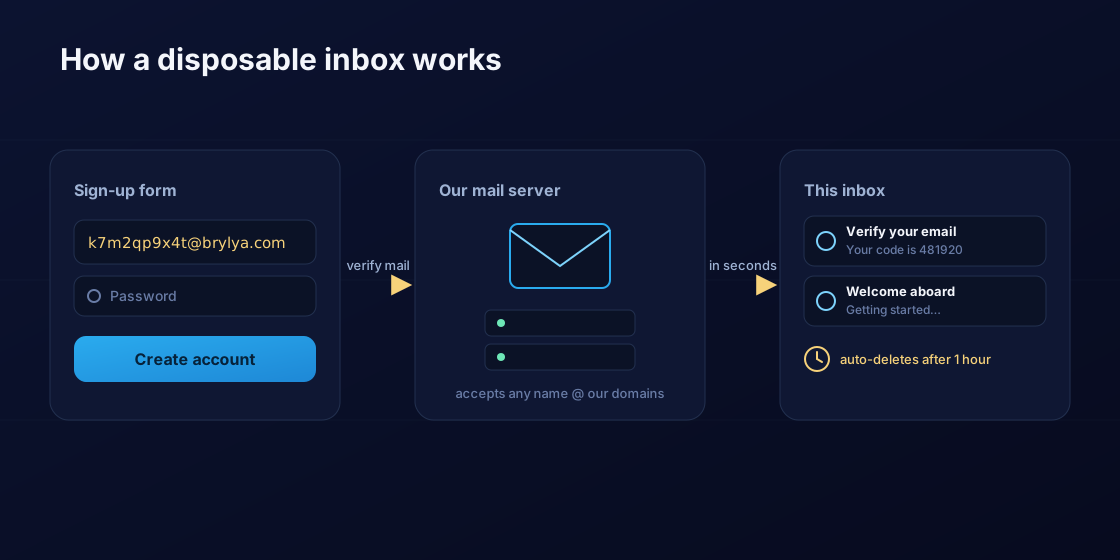
The important detail is the direction. A disposable inbox is built to receive, not to send. That is exactly what you need for the most common job, confirming a sign-up or reading a one-time code, and it is also what keeps the service clean and free of abuse. You are never asked to verify your identity because there is nothing to protect: the address is meant to be thrown away.
When a throwaway inbox is the right tool
Reach for a temporary address whenever the value of signing up is smaller than the cost of giving out your real one. Downloading a whitepaper or a trial that demands an email first. Registering on a forum you will visit once. Claiming a coupon or a free sample. Testing your own app's sign-up flow without filling your inbox with test mail. Trying a service you do not yet trust before you commit your real identity. In all of these, you need to receive a single message, and a disposable inbox delivers it without strings attached.
Rotating addresses also tells you who leaks. If you use a fresh throwaway for each questionable site and one of them suddenly starts attracting spam, you know precisely which company sold or lost your details. Your primary inbox, meanwhile, stays reserved for the people and services that genuinely matter.
What it is not meant for
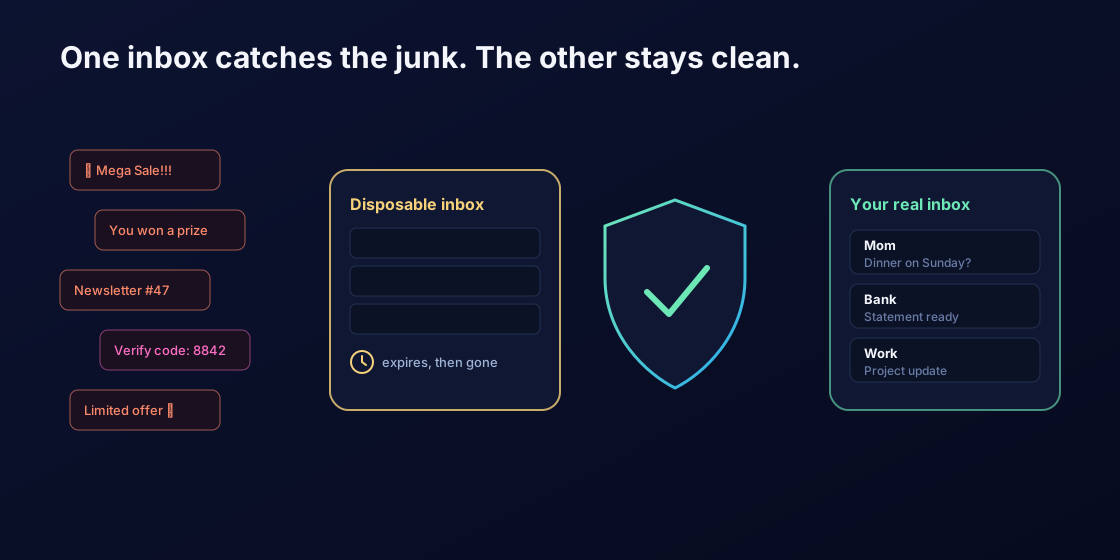
A temporary mailbox is the wrong place for anything you might need later or anything tied to your identity. Do not use it for your bank, email, government, or social accounts, or for any password-reset address you may have to reach again, because once the inbox expires it is gone and so is your only way back in. Treat a disposable address as semi-public, too: it has no password, so anyone who knows the exact address could in principle read what arrives there. It is perfect for one-off codes and unwanted newsletters, and a poor choice for private correspondence or long-term accounts.
Some websites deliberately block known disposable-email domains at signup. If one address is rejected, switch to a different domain from the menu above and try again, that is exactly why several are offered. And because the inbox is receive-only, you cannot reply from it; if a conversation needs a real back-and-forth, it belongs in a real mailbox.
Privacy by design
The whole point of a disposable inbox is to leave no trace, so the service is built that way. There is no registration, so we never collect a name, a phone number, or a recovery address. Messages live in memory for a short window and are then deleted automatically; nothing is archived. We do not ask you to log in, we do not profile you, and there is no real inbox of yours involved at any point. The address you use here was never connected to you in the first place, which is what makes it genuinely throwaway.
If you care about what your network and the sites you visit can see, the same instinct that brings you to a temporary inbox is worth applying elsewhere. Check what your connection reveals with our My IP and geolocation tools, or look up the records behind any domain with the DNS lookup. Small habits, kept up consistently, add up to a much smaller footprint.
Frequently asked questions
Is this temporary email service free?
Yes, completely free. There is no account to create, no payment, and no limit on how many disposable addresses you generate. Open the page, copy the address, and start receiving mail right away.
How long do messages last?
Incoming messages are kept for a short window and then deleted automatically, along with the address. The countdown is shown above the inbox. If you need a message for longer, copy its contents out before it expires, because nothing is archived.
Can I send email from a temporary address?
No. A disposable inbox is receive-only by design. It is built for confirming sign-ups and reading one-time codes, not for sending or replying. If you need a real two-way conversation, use a normal mailbox.
Why was my temporary address rejected on a website?
Some sites block known disposable-email domains to discourage throwaway sign-ups. If that happens, pick a different domain from the menu above and generate a new address, then try again. Having several domains available is exactly what gets you past most of these blocks.
Is a disposable inbox private and secure?
It is anonymous, since no signup or personal data is involved, but it is not a secret. The address has no password, so anyone who knows it could read what arrives. Use it for one-time codes and newsletters, never for banking, password resets, or private correspondence.
Do I need to install anything?
No. Everything runs in your browser on this page. You get an address instantly and the inbox updates on its own. There is no app, no extension, and no signup to download or configure.